
Design Personalized Miniatures for Your Campaign
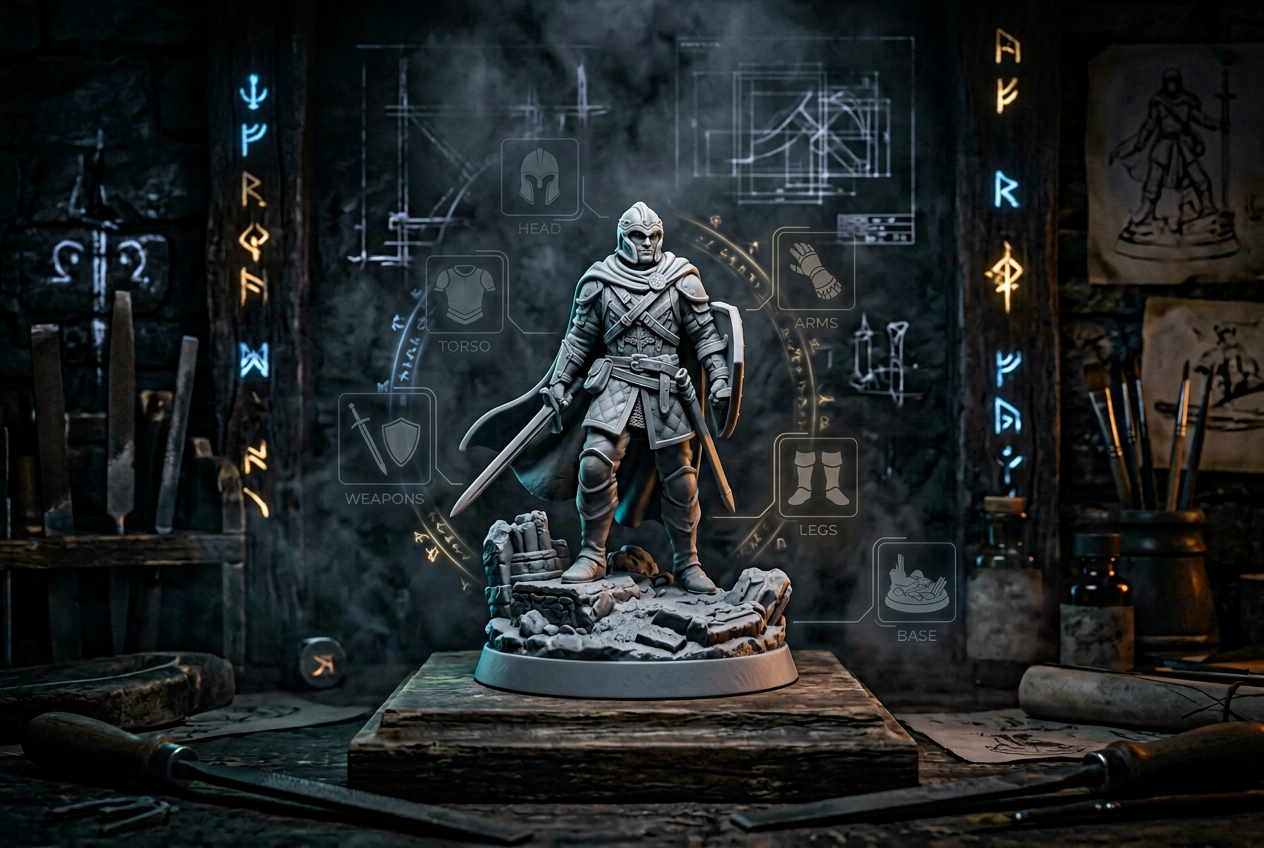
ANVL - Design Personalized Miniatures for Your DnD Campaign
Your character has a backstory, a signature weapon, maybe a scar from that one encounter that almost ended the campaign. A generic miniature from a blister pack doesn't capture any of that.
Personalized miniatures let you design a figure that actually matches the character in your head—race, gear, pose, and all. In this guide, you'll learn how online character creators work, what customization options are available, and how to go from digital design to a finished miniature ready for your table.
What Are Personalized Miniatures for Tabletop Gaming
Personalized miniatures are custom-designed figures built to match your specific character—race, armor, weapons, pose, and all. Rather than picking from a shelf of pre-made options and hoping one comes close, you design the figure yourself using an online character creator. The result is a miniature that actually looks like the character you've been playing, not just a rough approximation.
Tabletop RPG players use personalized miniatures to represent their characters during combat encounters and roleplay scenes. Dungeon masters often create custom figures for important NPCs or memorable villains. Wargamers build unique hero units that stand out from rank-and-file troops.
For painters and collectors, the appeal is straightforward: a one-of-a-kind piece that reflects your creative vision from the ground up.
How to Build Your Own Custom Miniature Online
Online character creators are browser-based tools that let you design a miniature without downloading software. You work through a guided flow, making choices that shape your character step by step. The process moves from broad decisions down to fine details, so you're never overwhelmed with options all at once.
Choose Your Fantasy Race and Gender
Every design starts here. You'll pick from a range of fantasy races, each with distinct proportions and visual style. ANVL presents male and female options side by side for each race, making comparison quick and easy.
Not sure where to begin? Try the "Generate a random character" button. It's a useful way to spark ideas you might not have considered, and you can refine the result afterward.
Customize Head, Clothing, and Body
Once you've selected a race, you'll move through sections for Head, Clothing, and Body. The interface keeps you oriented—you always know which section you're editing and what comes next.
Adjustments are incremental rather than dramatic. Head size, for example, displays as a percentage with simple +/- controls. Small, precise changes are easy to make without accidentally overshooting your target.
Add Weapons, Items, and Equipment
The Hand Held Items section is where your character's class and backstory come through. You might equip a battle-worn greatsword, a glowing staff, a shield with a clan crest, or a spellbook crackling with energy.
Think about what your character actually carries in-game. Matching your miniature to your character sheet makes the figure feel authentic when it hits the table.
Select a Unique Base and Stance
The base grounds your miniature in a setting—stone ruins, forest floor, or simple terrain. Stance defines your character's attitude. A "Standing Idle" pose suggests calm readiness, while an action pose conveys mid-battle intensity.
Both choices affect how your miniature reads at a glance during play, so consider what fits your character's personality.
Fantasy Races and Creatures Available in the Creator
A strong character creator offers variety across classic and unusual options. Here's what you'll typically find:
Classic Fantasy Races
The staples of tabletop gaming, familiar from decades of RPG lore:
Animalfolk and Creature Options
Beastfolk characters and animal companions have become increasingly popular in modern campaigns:
Elemental and Unique Beings
For more exotic or monstrous characte
ANVL's library spans all three categories, giving you flexibility whether you're building a classic adventurer or something truly unusual.
Customization Options for TTRPG Miniatures
The depth of customization determines how closely your miniature can match your vision. Here's what you can typically control:
CategoryExamplesHeadFacial features, hair, horns, helmetsBodyBuild, pose adjustmentsClothingArmor, robes, cloaksEquipmentWeapons, shields, spell effectsBaseTerrain styles, size options
Head and Facial Details
Fine-tuning options let you adjust features like head scale, hairstyle, and headgear. The +/- controls make dialing in exactly the right look straightforward—no guesswork involved.
Armor, Clothing, and Outfits
Whether your character wears heavy plate, leather armor, or flowing wizard robes, you'll find options to match. Clothing choices often define class identity at a glance. A cleric in vestments reads very differently from a rogue in a hooded cloak.
Weapons and Hand-Held Accessories
Swords, axes, staves, shields, bows, and magical implements are all available. You can also add secondary items like potions, scrolls, or lanterns to round out your character's gear loadout.
Mounts, Bases, and Poses
Mount options range from "None" to various creatures. Base styles add environmental context, while pose selection—like "Standing Idle"—defines the character's final attitude on the table.
Start Building Your Custom Miniature →
Download STL Files or Order Resin Miniatures
After designing, you have two paths to a finished miniature: digital files for home printing or a physical model shipped to your door.
STL Downloads for 3D Printing at Home
STL is the standard file format for 3D printing. Once downloaded, you'll import the file into slicing software—Cura is a popular choice—to prepare it for your printer. Slicing software converts the 3D model into layer-by-layer instructions your printer can follow.
Resin printers typically produce the best detail for miniatures, though FDM printers work too with the right settings. If you're new to 3D printing, starting with a simpler character design helps you learn your printer's capabilities before tackling intricate details.
High-Quality Resin Prints Shipped to You
If you don't have a 3D printer, you can order a physical miniature printed in high-quality resin. The figure arrives ready to paint, with crisp detail on every armor plate, weapon edge, and facial feature. It's a hands-off way to get a professional-grade figure without any equipment investment.
Step-by-Step Guide to Creating Your Custom Mini
Here's a quick walkthrough of the creation process using ANVL's guided flow:
1. Select a Race or Generate a Random Character
Simply navigate to the Race section and pick your starting point. Alternatively, tap "Generate a random character" for instant inspiration—you can always refine from there.
2. Adjust Each Section from Head to Base
Work through Head, Clothing, Body, Hand Held Items, and Unique Bases in order. The interface shows your progress, so you always know where you are in the process.
3. Fine-Tune Details with Increment Controls
Use the +/- buttons to make small adjustments. This is where your character goes from "close enough" to "exactly right."
4. Choose Your Material, Size, and Stance
Navigate to the "Material" section and select "Resin." Pick "Standard" size for typical tabletop scale, and confirm your pose under "Stance."
5. Save, Download, or Add to Cart
Simply select "Download" for STL files or "Add to Cart" to order a printed miniature. You can also save your design to revisit and edit later.
Tips for Designing the Perfect Campaign Miniature
A few practical pointers to help your miniature turn out exactly how you envision it:
Start Building Your Personalized Miniature Today
ANVL's guided flow and extensive variety make creating a unique character straightforward and enjoyable. The process is fast, the options are deep, and your miniature will be as distinctive as the stories you tell with it.
Ready to bring your character to life? Start creating at ANVL →
FAQs about Personalized Miniatures
What scale sizes are available for custom tabletop miniatures?
Most creators offer a standard tabletop scale—typically 28mm or 32mm—suitable for games like D&D and Pathfinder. Some platforms also provide larger display sizes for collectors or painting showcases.
Can you save a custom miniature design and edit it later?
Yes. ANVL lets you save your character so you can return, make changes, and experiment before committing to an order or download.
What file format do STL downloads use for 3D printing?
Downloads come as .STL files, which are compatible with popular slicing software like Cura for both resin and FDM printers.
How long does shipping take for resin miniature orders?
Shipping times vary by location, but orders are printed and dispatched promptly after purchase. You'll receive tracking information once your miniature ships.
Can you create multiple miniatures for an entire adventuring party?
Absolutely. You can design and order as many unique characters as you want—perfect for a full party, a roster of NPCs, or an entire villain lineup.

