
Design Custom DnD Figures - ANVL Miniature Creator
Design Custom DnD Figures - ANVL Miniature Creator
Your character has a backstory, a signature weapon, and a look you've been picturing since session zero. The miniature representing them at the table? It should match.
Custom DnD figures let you design every detail—race, armor, pose, gear—so the figure on the battle map actually looks like the character on your sheet. In this guide, you'll learn how 3D character creators work, what options are available, and how to go from concept to finished miniature ready for your next campaign.
What Are Custom DnD Figures?
Custom DnD figures are personalized tabletop miniatures built to match your specific character—the exact race, armor, weapons, and pose you've imagined. Unlike pre-made miniatures that offer generic fantasy archetypes, custom figures let you design every detail from scratch. Players use them in Dungeons & Dragons and other TTRPGs (Tabletop Role-Playing Games) to represent their characters, NPCs, and monsters during gameplay.
So what's the actual difference between grabbing a mini off the shelf and building your own? With a pre-made figure, you're picking the closest match you can find. Your tiefling warlock might end up represented by "generic demon guy with staff." With a custom figure, that same character gets the exact horns, the tattered robes, the crystal-topped staff, and the confident stance you've been picturing since session one.
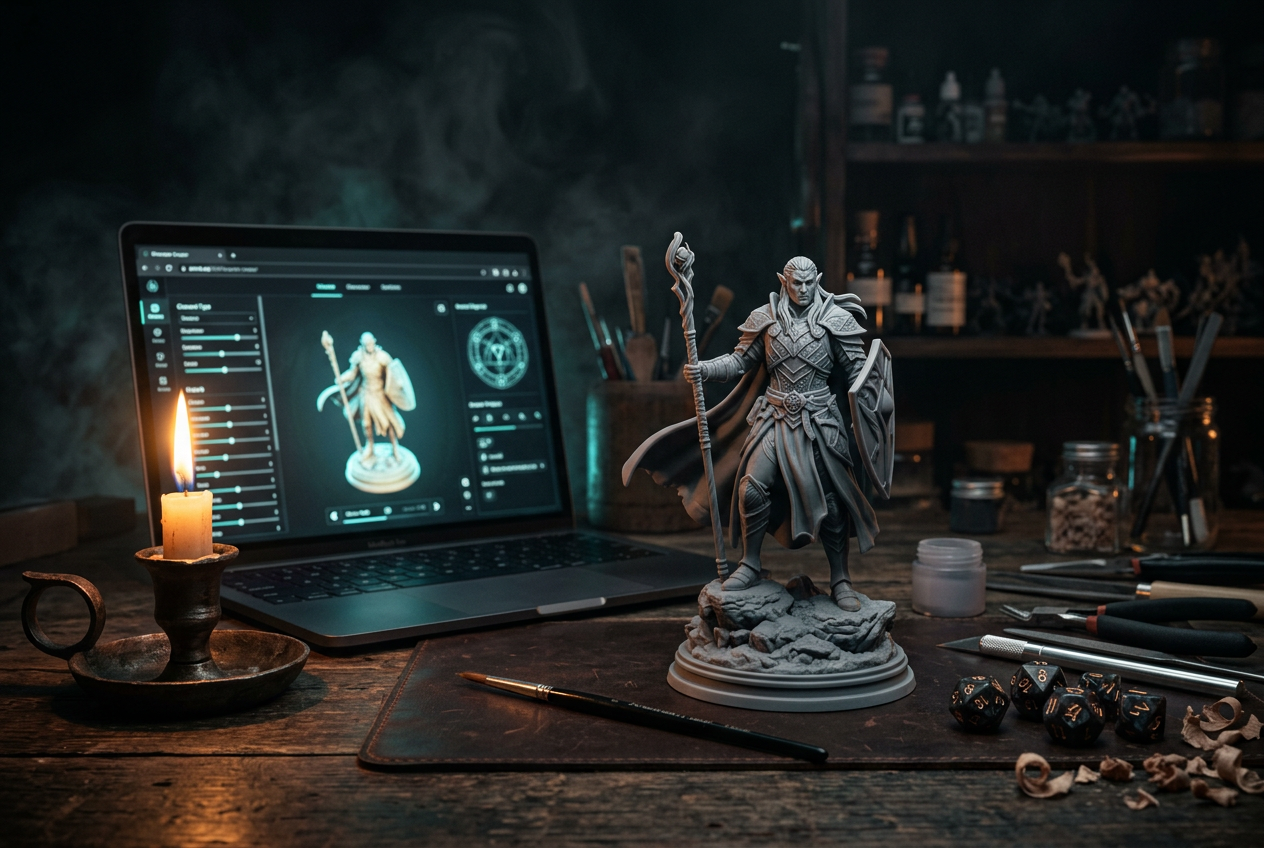
Online 3D character creators make this process accessible. You work through a guided flow—selecting race, adjusting body proportions, adding gear—and end up with either a digital file for home printing or a physical resin miniature shipped to your door.
Why Design Your Own TTRPG Miniatures
Have you ever scrolled through miniature listings looking for something that matches your character, only to settle for "close enough"? That's the problem custom creators solve. Generic minis work fine for random encounters, but your main character deserves better.
Match Your Exact Character Vision
Pre-made miniatures cover broad archetypes: elf with bow, dwarf with axe, human in plate armor. But what about your halfling artificer with goggles and a mechanical arm? Or your dragonborn bard carrying a lute? Custom creators let you combine specific races, outfits, weapons, and accessories so the figure on the table actually looks like the character on your sheet.
Stand Out at the Gaming Table
When your miniature matches your character exactly, something shifts at the table. Other players can see what you've been describing. The DM can reference your figure during narration. It's a small thing, but it adds a layer of immersion that generic figures can't provide.
Create Memorable Gifts for Players
DMs often design custom figures as gifts for their players—especially for campaign milestones or finales. There's something meaningful about handing someone a physical representation of a character they've been playing for months. It's a keepsake that outlasts the campaign itself.
How to Create Custom DnD Figures with a 3D Character Creator
Building your own miniature is more straightforward than it might seem. The process moves from broad choices to fine details, so you're never overwhelmed with options all at once.
1. Select Your Fantasy Race and Gender
Simply navigate to the "Race" selection to begin. You'll see options displayed with Male and Female variants side by side for easy comparison. If you're not sure where to start, try the "Generate a random character" button—it's a quick way to explore combinations you might not have considered on your own.
2. Customize Head and Body Details
Next, move to the "Head" and "Body" sections. Here you'll find "+ / -" adjustment controls that let you make precise changes. A percentage value updates as you tweak proportions, so you can make small adjustments without accidentally creating something unintended. Want a slightly larger head or broader shoulders? A few clicks gets you there.
3. Choose Clothing and Armor
The "Clothing" section is where your character's class and background start to show. Options range from heavy plate mail to simple traveling clothes, robes to leather armor. Pick what fits your character's story and fighting style.
4. Add Weapons and Hand Held Items
Navigate to "Hand Held Items" to equip your character. This section often makes the biggest visual impact—a character holding their signature weapon becomes instantly recognizable at the table. Swords, staffs, shields, bows, and more unusual items are all available depending on your concept.
5. Pick a Unique Base and Stance
The "Unique Bases" selection adds environmental context: stone, grass, dungeon flooring, or other terrain. Meanwhile, the "Stance" setting (options like "Standing Idle") determines your character's posture and attitude. A defensive crouch tells a different story than a confident, relaxed pose.
6. Choose Your Material and Size
Simply navigate to the "Material" section to select your output type. "Resin" refers to the physical print material used for high-detail miniatures—it captures fine details like facial features and armor textures. The "Size" option (typically "Standard") ensures your figure fits standard tabletop grid scales used in most TTRPGs.
7. Save, Download, or Add to Cart
Once you're satisfied, you have three paths forward:
Fantasy Race Options for Custom Tabletop Miniatures
One major advantage of custom creators is variety. You're not limited to whatever happens to be in stock at your local game store.
Classic DnD Races
The familiar options cover most traditional fantasy campaigns: Human, Dwarf, Elf, Halfling, Orc, Tiefling, and Goblin. If you're playing a standard DnD race, you'll find it here with full customization options.
Creature and Animalfolk Miniatures
For players with animal-inspired characters, options expand into less common territory. Cat, Wolf, Frog, Eagle, and Minotaur builds work well for homebrew settings, Tabaxi characters, or campaigns with unusual player races.
Elemental and Unique Character Types
Looking for something truly different? Crystal, Treant, Skeleton, Dragon, and Cyclops options let you build characters that go well beyond the Player's Handbook. DMs creating memorable villains or players with unconventional concepts will find plenty to work with here.
Pose and Stance Customization for DnD Figures
Pose communicates personality before anyone reads your character sheet. A figure in a defensive stance suggests caution or readiness. One mid-attack conveys aggression. A relaxed, confident pose implies experience and control.
The "Stance" setting offers defined poses like "Standing Idle" as starting points. You're not guessing at what the final figure will look like—you're selecting from clear options and seeing the result in real time.
The "Mount" option (shown as "None" by default) keeps your character's build focused on the figure itself. When your concept calls for a mounted character, that option is available, but it stays out of the way when you don't need it.
Resin vs STL Download Options for Custom Miniatures
When your design is complete, you'll choose how to receive it. The two main options serve different situations.
FeatureResin (Physical)STL DownloadWhat you getA ready-to-paint miniature shipped to youA digital file for home 3D printingBest forPlayers without a 3D printerHobbyists with their own resin printersFlexibilityThe product is finalPrint multiple copies, adjust scale
If you own a resin 3D printer and slicing software like Cura or Lychee Slicer, the STL download gives you maximum control. You can print multiple copies, experiment with scale, or make adjustments before printing. If you'd rather skip the printing process entirely, the physical resin option arrives ready for priming and painting.
Tips for Designing the Perfect Custom Miniature
A few practical considerations can improve your results, especially if you're new to custom miniature design.
Try Random Generation for Inspiration
Not sure where to start? The "Generate a random character" button creates an unexpected combination to work from. You might discover a race and gear pairing you wouldn't have thought to try. From there, you can refine the design into something personal.
Use Fine Adjustments for Detailed Features
The "+ / -" controls exist for a reason. Small tweaks to head size, body proportions, or other features add up to a more polished final result. Don't skip the detail work—it's often what makes a miniature feel like your character rather than a generic figure.
Match Your Figure to Your Campaign Setting
Consider your game's tone when selecting race, gear, and base style. A gritty, low-fantasy campaign calls for weathered armor and simple weapons. A high-magic adventure might feature glowing effects and elaborate robes. The base terrain can reinforce the setting too—stone for dungeon crawlers, grass for wilderness campaigns.
Plan Ahead for Painting
If you're planning to paint your miniature, think about how details will read once color is applied. Contrast between armor plates, skin, and fabric makes painting easier and produces a more striking final result. Miniatures with clear visual separation between elements tend to look better on the table.
Ready to Build Your Custom DnD Figure
Your character has a story. Now they can have a figure that matches. Simply head to ANVL's character creator, select your race, customize every detail, and bring your vision to life as a high-quality miniature.
Sound like fun? It is!
FAQs about Custom DnD Figures
What scale are custom DnD miniatures printed at?
Custom figures typically come in standard tabletop scale (around 28-32mm), fitting the grid sizes used in DnD and other TTRPGs. ANVL offers a "Standard" size option in the creator that works with most gaming setups.
How long does shipping take for custom resin miniatures?
Shipping times vary by location, and custom figures are made-to-order after you complete your design. Check the cart during checkout for an estimated delivery time based on your address.
Can you create homebrew or non-standard fantasy races?
Yes—options like Crystal, Treant, and animalfolk (Cat, Wolf, Frog, Eagle) let you build unique characters that go well beyond traditional DnD races.
Do custom DnD figures come painted or unpainted?
Resin miniatures arrive unpainted, giving you full control over the final color scheme and finish. They're ready for priming and painting right out of the box.
What file format do STL downloads use for 3D printing?
Downloads come as .STL files, which are compatible with most resin 3D printers and slicing software like Cura or Lychee Slicer.
Can you edit a saved custom miniature design later?
Yes—simply save your character to revisit and adjust details before ordering or downloading. This makes it easy to refine your design over multiple sessions.

