
Design Tabletop Miniatures with ANVL - 3D Mini Creator
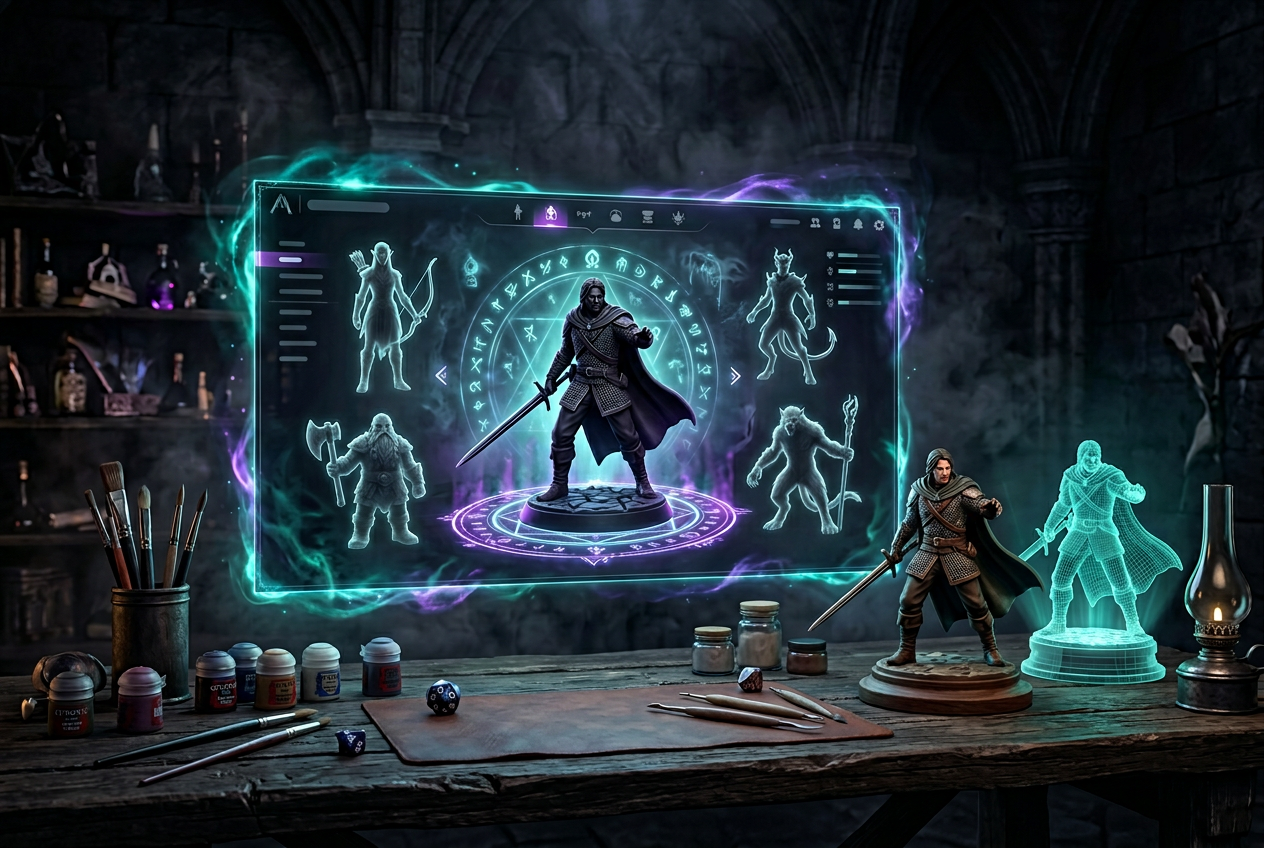
Design Tabletop Miniatures with ANVL - 3D Mini Creator
Key Takeaways
- ANVL is a browser-based 3D miniature creator that lets tabletop RPG players design custom figures by selecting race, gear, pose, and base terrain without any modeling experience.
- The platform offers extensive race options including humans, elves, dwarves, tieflings, beast-folk like catfolk and frog, plus unique species like dragons and treants.
- Completed designs can be downloaded as STL files for home 3D printing or ordered as physical resin miniatures shipped directly to you.
- The step-by-step creation process covers head customization, clothing and armor, weapons, unique terrain bases, stance, and scale selection for different gaming systems.
Your character has a name, a backstory, and a signature weapon—but the miniature on the table looks like every other fighter in the shop. That disconnect between imagination and physical representation is exactly what custom miniature design solves.
ANVL's 3D character creator lets you build tabletop miniatures from scratch, choosing everything from race and armor to pose and base terrain. In this guide, you'll learn how the creation process works, explore the full range of customization options, and discover how to go from digital design to a finished miniature ready for your next session.
What Is a 3D Miniature Creator
A 3D miniature creator is a browser-based tool that lets you build custom tabletop figures by clicking through visual options rather than sculpting or modeling anything yourself. You pick a race, choose gear, adjust details, and the platform assembles everything into a complete character. The result? Either a downloadable STL file for your home printer or a physical resin miniature shipped to your door.
Think of it like a character creation screen in a video game, except the character you build becomes a real object you can hold. No design experience required—just decisions about what your character looks like.
Why Design Custom Tabletop Miniatures
Generic miniatures work fine for random goblins or nameless guards. But your main character—the one you've played for months, the one with a backstory and personality—deserves something that actually looks like them.
Custom miniatures solve a simple problem: the figure on the table matches the character in your head. Here's what that means in practice:
- Exact visual match: Your tiefling warlock carries the specific staff you described, not a generic wizard rod
- Personal storytelling: Battle scars, clan symbols, and gear choices reflect your character's history
- Table presence: A unique mini stands out during sessions and becomes part of the campaign's memory
For GMs, custom design opens up NPC and villain creation. That recurring antagonist can have a distinctive look players will recognize immediately.
Fantasy Races and Creatures You Can Create
ANVL's race selection spans classic fantasy staples and more unusual options. Each race includes male and female variants displayed side by side, so you can compare proportions before committing.
Human and Humanoid Options
Human works as the most flexible starting point—any class, any background, any setting. Dwarf brings that stocky, sturdy frame suited to warriors and smiths. Elf offers elegant proportions for rangers, mages, and fey-touched characters. Halfling captures the nimble look of rogues and bards. Tiefling adds infernal heritage with horns and distinctive features that make the demonic ancestry visible.
Classic Fantasy Races
Orc and Goblin fit both player characters and antagonists equally well. Skeleton opens up undead concepts—whether that's a death knight PC or a necromancer's minion. Cyclops and Minotaur provide larger, more imposing frames for characters who want to tower over the party or serve as memorable boss encounters.
Animalfolk and Creature Types
Catfolk, Wolf, Frog, and Eagle represent beast-folk options that have grown popular in modern TTRPGs. Finding pre-made miniatures for a frog monk or eagle paladin can be frustrating. Here, you build them with the same depth as any humanoid race.
Elemental and Unique Species
Dragon, Crystal, and Treant round out the selection with truly distinctive choices. A crystalline sorcerer or a treant druid stands out on any table—and good luck finding those in a standard miniature catalog.
How to Design Your Miniature Step by Step
ANVL organizes the creation process into clear sections: Race, Head, Clothing, Body, Hand Held Items, and Unique Bases. You always know where you are and what you're editing. The flow moves from broad choices toward fine details, so you can make changes in one area without losing your overall direction.
1. Select Your Race and Gender
Simply navigate to the race grid where all options appear together. Click your choice to set the base form. Not sure where to start? Try the "Generate a random character" button—it's a quick way to discover combinations you might not have considered, and you can refine from there.
2. Customize Head and Facial Details
The Head section displays a percentage value (like 97%) with "+/-" controls for adjustment. Small clicks mean small changes, so you can dial in exactly the proportions you want without overshooting. Helmets, hair styles, and facial features all live here.
3. Choose Clothing and Body Options
Move through the Clothing and Body sections to select armor, robes, or traveling gear. Options range from simple cloth to ornate plate, with cloaks, hoods, and accessories layered on top.
4. Add Weapons and Hand Held Items
The Hand Held Items section covers everything your character carries. Swords, axes, staffs, bows, shields—pick what matches the class and fighting style. Dual-wielding works too, if that's your character's approach.
5. Pick a Unique Base
Bases do more than keep your mini upright. The Unique Bases section offers terrain styles—rocky outcrops, dungeon floors, forest ground—that add context and visual interest. A mountain dwarf on a stone base tells a different story than the same dwarf on wooden planks.
6. Set Stance, Material, and Size
Under Stance, you'll find pose options like "Standing Idle." Material shows "Resin" as the default printing approach. Size lets you select "Standard" or other scales to match your gaming system's grid. The Mount option appears here as well—set it to "None" if your character travels on foot.
Customization Options in the ANVL Character Creator
Beyond the step-by-step flow, it helps to understand how deep the customization options go in each category.
- Head: Terrain styles, thematic display options
- Clothing: Armor types, robes, cloaks, accessories
- Weapons: Swords, axes, staffs, bows, shields
- Bases: Terrain styles, thematic display options
Head and Face Adjustments
The percentage slider gives you fine control over head proportions—useful for stylized looks or subtle realism tweaks. Helmet and hair options layer on top of the base head shape.
Clothing and Armor Choices
Light traveling clothes, medium leather armor, heavy plate—the range covers most fantasy archetypes. Cloaks and hoods add silhouette variety that reads well on the table.
Weapons and Equipment
The Hand Held Items section isn't limited to swords and axes. Magical staffs, shields, torches, and utility items round out the selection for characters of any class or role.
Bases and Display Stands
A well-chosen base adds environmental storytelling. Rocky terrain suggests mountain origins. Dungeon flagstones fit underground campaigns. Forest floor works for rangers and druids. The base becomes part of the character's visual identity.
How to Choose the Right Pose for Your Mini
Pose affects how your miniature reads at a glance. The Stance setting offers defined options like "Standing Idle"—a clear selection rather than ambiguous positioning.
A neutral standing pose works for most situations and photographs cleanly. Action poses convey energy but can be trickier to position on crowded battle maps. Consider how you'll actually use the miniature: display piece, game token, or both?
If you're designing multiple characters for a party, varying the poses creates visual interest when the group stands together on the table.
Download STL Files or Order Resin Printed Miniatures
After designing, you have two paths to a finished miniature. Your choice depends on whether you have printing equipment at home.
STL Downloads for Home 3D Printing
If you own a resin printer, simply navigate to the cart area and select "Download." You'll receive an STL file—the standard format for 3D printing—compatible with slicers like Cura. From there, you print on your own timeline with your own materials.
Ordering Physical Resin Miniatures
No printer? Add your design to cart and proceed to purchase. ANVL prints your miniature in high-resolution resin and ships it directly to you. The figure arrives ready for painting or display, no assembly required.
Tips for Designing Better TTRPG Miniatures
A few practical considerations can elevate your designs from functional to memorable.
1. Use Random Generation to Spark Ideas
When you're stuck or just exploring, click "Generate a random character." Unexpected combinations often suggest directions you wouldn't have tried on your own. Refine the result into something intentional, or roll again until something clicks.
2. Match Your Design to Character Backstory
The best miniatures tell a story at a glance. A battle-scarred veteran looks different from a fresh academy graduate, even if both are fighters. Choose gear and details that reflect who your character is, not just what class they play.
3. Consider Paintability When Adding Details
More detail isn't always better. Think about how elements will look when painted—overly busy designs can become muddy under a brush. Well-placed details create focal points that guide the eye.
4. Save Multiple Variations Before Ordering
ANVL lets you save designs, so take advantage of that feature. Create a few versions with different weapon choices or poses, compare them side by side, then commit to the one that feels right.
Bring Your Character to Life with ANVL
Designing tabletop miniatures doesn't require artistic training or expensive software. ANVL's guided creator moves you from concept to finished design in minutes, with enough depth to capture exactly the character you imagine.
Whether you're printing at home or ordering a resin miniature, the path from idea to physical figure is straightforward. Your character deserves more than a generic stand-in on the table.
Ready to create your perfect custom miniature? Start Building Your Custom → Sound like fun? It is!
Frequently Asked Questions about Designing Tabletop Miniatures
What scale are ANVL miniatures designed for?
ANVL miniatures are available in Standard scale, which fits most tabletop RPG grids and wargaming systems. You can select your preferred size in the "Size" section of the creator.
Can I design a custom miniature without 3D modeling experience?
Yes—ANVL's guided creator requires no modeling skills. Simply make selections from menus and sliders to build your character visually.
How long does it take to design a tabletop miniature in ANVL?
Most users complete a custom miniature design in just a few minutes. The step-by-step flow and random generator make it fast to explore options.
What file format are STL downloads provided in?
Downloads are provided as .STL files, which are compatible with most 3D printing slicers like Cura.
Can I design miniatures for an entire adventuring party?
Absolutely—you can save multiple character designs and add each to your cart or download queue to build a full party.
Do I need a 3D printer to get a custom ANVL miniature?
No—if you don't have a printer, you can order a physical resin miniature directly from ANVL and have it shipped to you.

